Claude video generatorAsk Claude for a Short. Get the video back in the chat.
FacelessWave adds a connector to Claude. You describe the video in plain words, Claude shows you the script with its virality score, you agree to the credit price, and the narrated, captioned 9:16 MP4 arrives in the same conversation. It also sits in your FacelessWave library.
Connect it once
There is no key to copy. Claude opens a FacelessWave sign in page and you approve the connection.
Connector address
https://facelesswave.com/api/mcp
Open the connectors list
In Claude, open Customize. On Connectors, choose Add, then Add custom connector. Signed in to FacelessWave, the Connect page has an Add to Claude button that opens this dialog already filled in.Paste the address
Name it FacelessWave, paste the address and choose Continue. Choose Sign in now, then Add.Approve
Sign in to FacelessWave, tick Spend credits and choose Allow. Without that box ticked, Claude can write and score scripts but cannot spend.
What a conversation looks like
The connector shows a card inside the chat that fills in as the video is made. These are screenshots of that card with a sample history script.
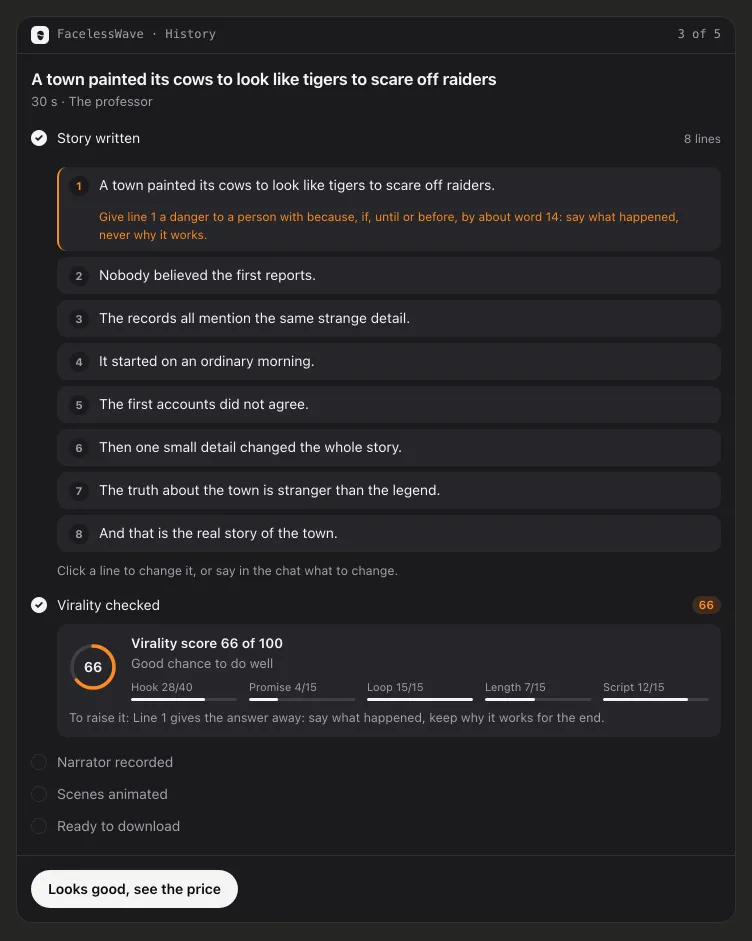
1. The script, scored
You write “Make a 30 second history Short about the town that painted its cows like tigers”. Claude answers with eight lines, a virality score out of 100 and the fix for the weakest part. Click a line to change it, or say what to change.
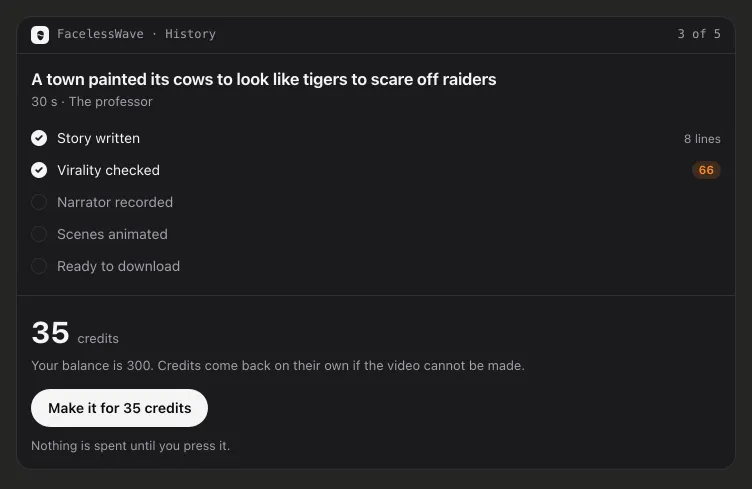
2. The price, before anything is spent
Press Looks good, see the price. A 30 second Short on the default model is 35 credits; the card shows your balance and the exact number for this video.
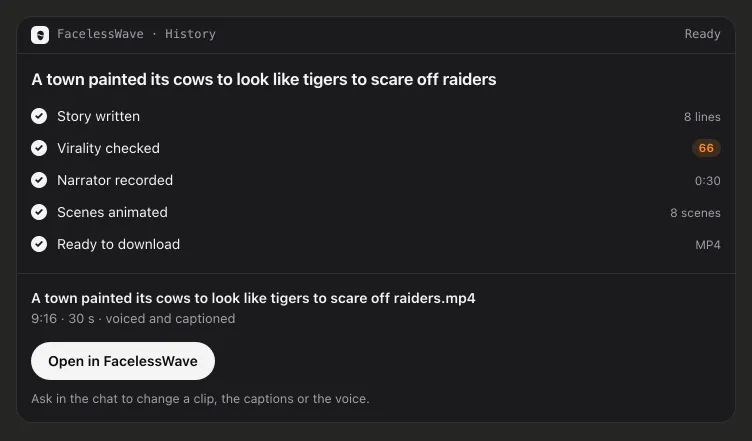
3. The video, in the chat
The steps tick off while FacelessWave records the narrator and makes the scenes. The finished MP4 plays in the card; Open in FacelessWave takes you to the editor.
Things to ask
“Make a Short about why owls can turn their heads so far.” The plainest request works: Claude asks what it needs (length, narrator, format) and suggests the rest.
“Make it 45 seconds and give it a calmer narrator.” Changes before the video is made cost nothing, and the script is scored again after each one.
“Remake clip 3 of my newest video.” After a video is made, one scene can be made again at its own price, shown first. Painted stickman and 3D story scenes cannot be remade one by one yet.
“Find the best moments in this stream: <link>.” The Virality Finder runs from the chat too, with YouTube, Kick and Twitch links; uploads go through the web studio.
“Switch the captions to one word at a time and use fade transitions.” Edits to a finished video (captions, caption style, transitions, order, trims) cost no credits.
What the connector adds to Claude
Claude writes well, but a chat on its own cannot record a narrator, make video scenes, burn in captions or hand you an MP4. With the connector it keeps doing the part it is good at, the conversation and the rewriting, and FacelessWave does the production and the scoring with the same rules on every script.
The same account works in ChatGPT and in the web studio, with one set of credits. Plans and credit prices are on the pricing page.
Questions about FacelessWave in Claude
More questions? support@facelesswave.com